
Process Management Software Features
Map and manage processes with tools for ownership, approvals, reviews, version control, reporting and AI.
KEY FEATURES
01 / design
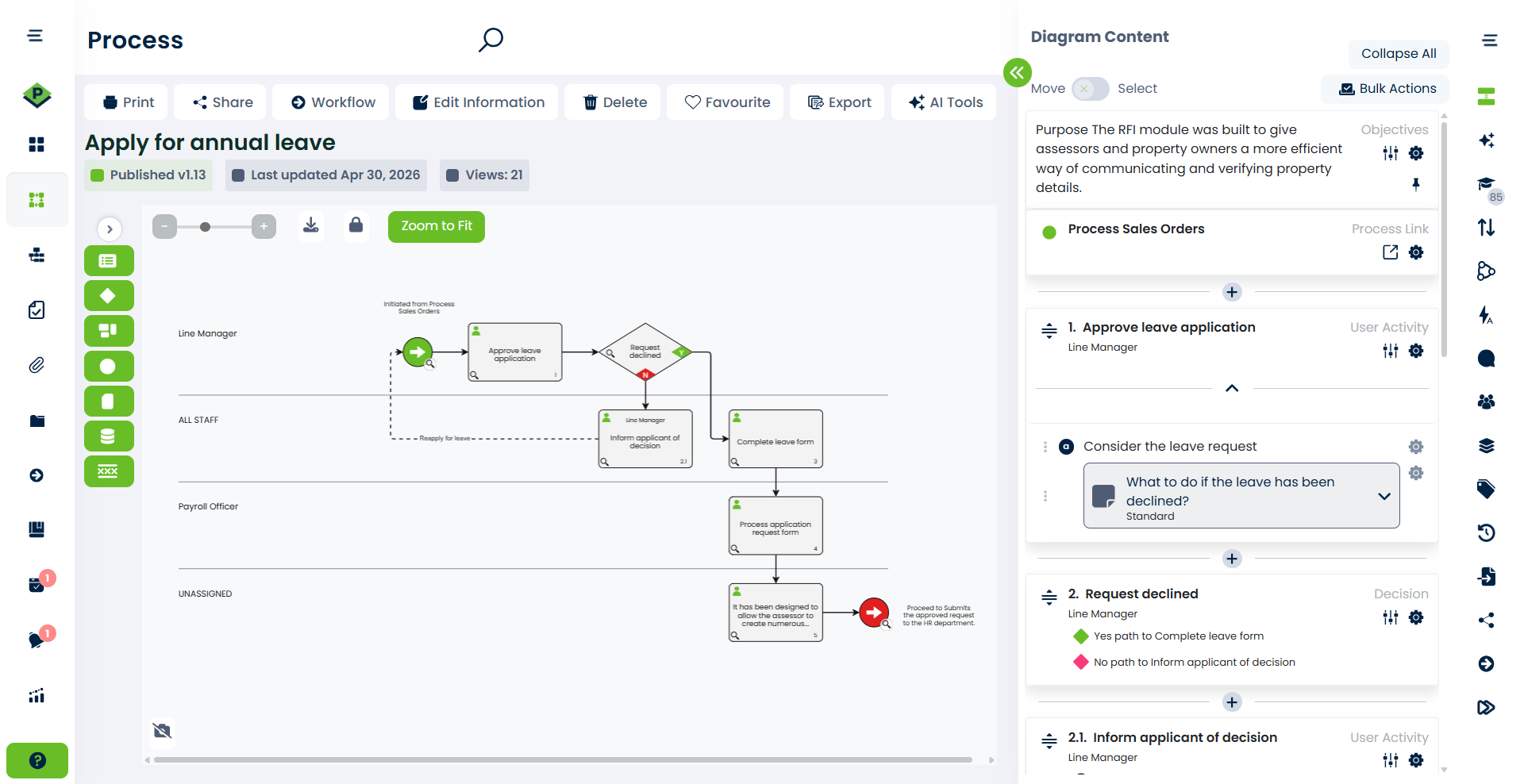
Process mapping & design
Build process maps that are easy to understand, accurate enough to execute, and flexible enough to reflect real work.
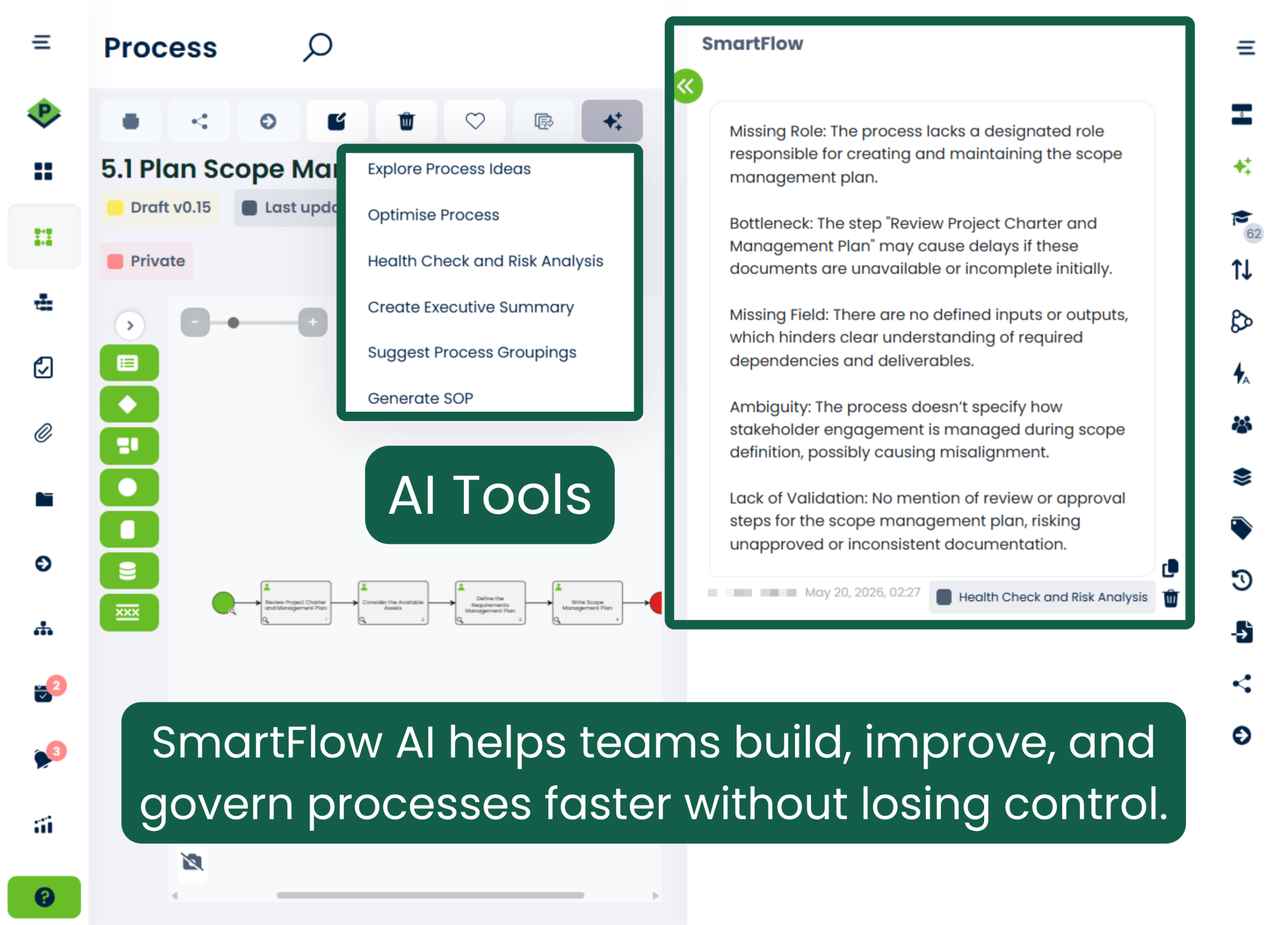
SmartFlow AI
Turn existing documents, transcripts and process ideas into structured process maps. Use AI to suggest activities, tasks and groupings, assess risks, identify improvements and generate supporting documents.
Activities
Core process steps that show what needs to happen, who’s responsible, and the tasks, notes, or attachments involved.
Activity Tasks
Break each step into clear actions. Add tasks manually, generate them with AI, or let users contribute.
Alternate Paths
Loop back, restart, or reroute steps based on outcomes, adding flexibility without complicating the map.
Attachments
Add documents, images, or videos to any step. Synced updates ensure everyone sees the latest version.
Decisions
Define yes/no points that guide what happens next: new steps, a redirect, or the end of the process.
Gateways
Branch complex flows into one or more paths based on set conditions, keep execution clear and consistent.
Global Library
Use ready-made processes as a starting point, then adapt the steps and roles to how your organisation works.
Notes
Capture exceptions, risk, and special cases directly on your make without disrupting the process flow.
Process Links
Connect related processes without duplication, reveal dependencies, and keep updates aligned.
Screen Recorder
Capture browser tasks as step-by-step guides with screenshots to simplify process documentation.
Value Streams
Connect processes across teams and uncover gaps, overlaps, and end-to-end improvement opportunities
02 / Control
Governance & control
Keep every process owned, reviewed, secure, and audit-ready without adding unnecessary administration.
Business Continuity
Classify and prioritize critical processes and managed documents to assess risk and stay prepared.
Cloud-based Process Mapping
Secure, backed-up access through Microsoft Azure, global servers, and encrypted backups.
Historical Records
Track every change and review or restore past versions for complete transparency and improvement.
Managed Documents
Create, store, and update key documents in one organized, connected, accessible location.
Multiple Companies
Manage separate team or regional workspaces in one account, each with its own users and settings.
Global Objects
Share processes, value streams and documents across selected companies. The source company retains control.
Publish with Approval
Require review and approval before publishing so content stays accurate, consistent, and accountable.
Process Future State
Edit safely without affecting the live version, then publish when ready with no disruption or confusion.
Risk Manager
Assess organisational risks, manage controls and track reviews. Heat maps highlight your risk profile.
Role-based System
Keep processes evergreen with role-based ownership and API-supported user and role updates.
Shared Links
Share live processes or documents without a login, customize views, set expiry dates, or embed them.
Single Sign-on
Let users sign in with existing company credentials for simpler access and stronger admin control.
Statuses
Color-coded lifecycle labels make drafts, approvals, updates, and published versions easy to track.
Free trial
Put your processes to the test
Map real processes, assign an owner and test review and approval in ProcessPro. Try it with your team for 30 days, with five users and no credit card required.
- 30 days free
- Five users included
- No credit card
03 / automate
Workflow, forms and automation
Move work through defined steps, collect the information each step needs, and automate routine actions.
Workflows
Move work through defined steps so teams know what to do next.
Dynamic Forms
Collect structured information using forms that adapt to users’ selections.
Automation Flow
Use triggers and conditions to automate actions and reduce manual follow-up.
04 / Improve
Collaboration & insights
Give people the context, actions, and visibility they need to keep processes current and continuously improve.
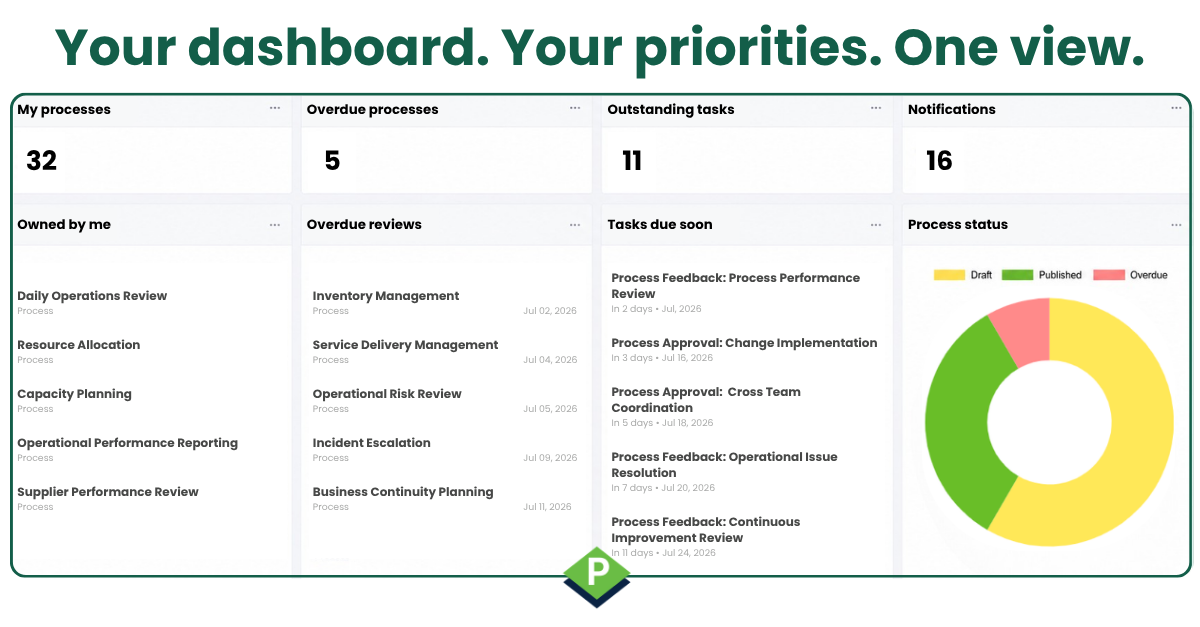
Personal command centre
Configurable Dashboards
Customise your dashboard to bring relevant tasks, notifications and process information into one view.
Feedback
Suggest changes or ask questions, then manage, assign, and act on feedback to keep processes accurate.
Reports
Permission-based, customizable, exportable insights into tasks, approvals, feedback, and user activity.
Request Details
Request information for an activity from internal users or external parties to complete the process view.
System Tasks & Notifications
Track approvals and reviews with assigned tasks, reminders and escalation. Notifications keep users informed.
Time and Cost Analysis
Understand process time, effort, and cost to identify savings, improve efficiency, and plan smarter.