
Features › Process approval
Process approval
Get the right people to review before you publish
Give your team a clear sign-off stage before a process is published for people to use.
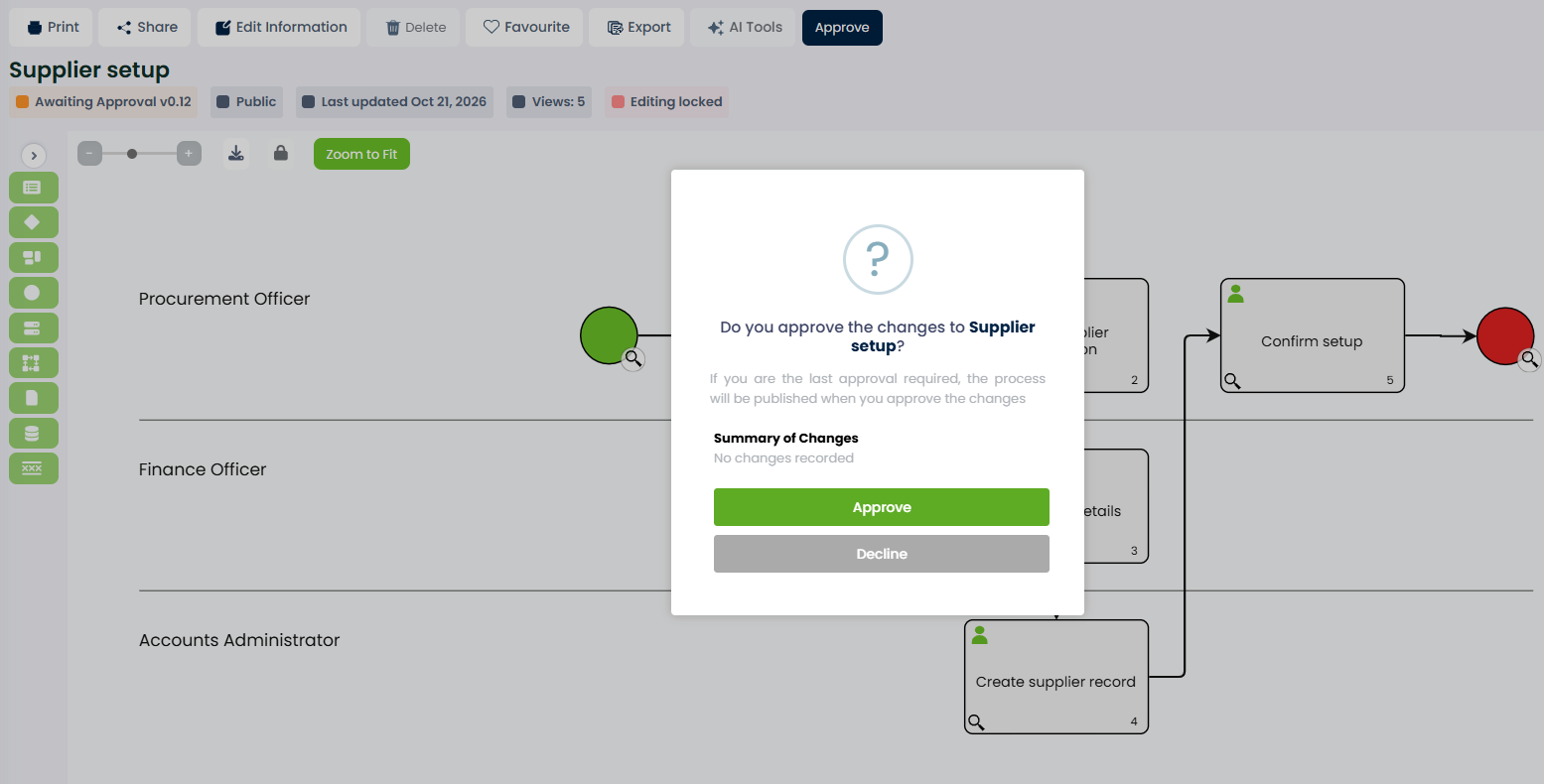
With process approval enabled, ProcessPro sends approval tasks in a set sequence. Approvers review the content and approve or decline the request, so your team can address gaps before completing publication.
Make sign-off part of publishing
A process can look complete while still missing an important check or responsibility. When sign-off happens through separate messages, the author can struggle to confirm who has reviewed the content and whether it is ready to publish.
ProcessPro brings approval into the publishing request. Assigned approvers receive tasks when their level is reached, and stakeholders can see the progress. This gives the team a clear way to review content before it becomes available through publication.
Set the approval order
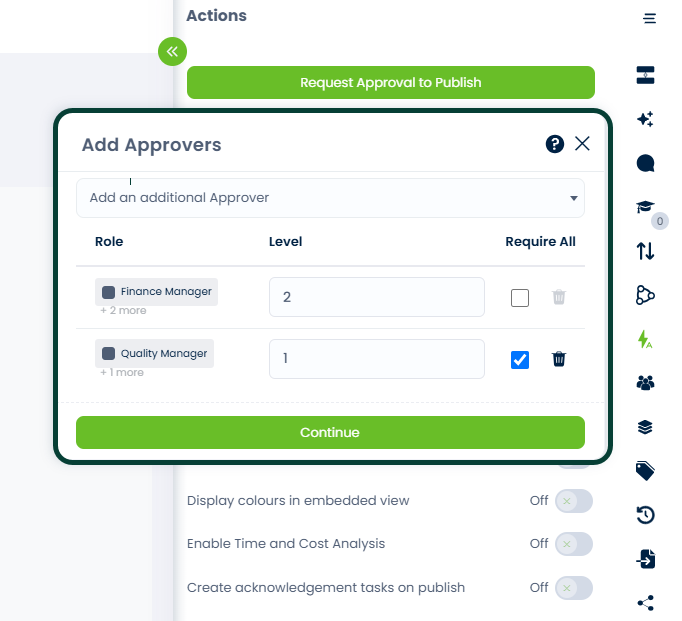
For Supplier setup, the Quality Manager reviews the process first at Level 1. Once that approval is complete, the Finance Manager receives the request at Level 2 to check the finance responsibilities before publication.
The approval sequence gives each review a place:
- Level 1: all users assigned to the Quality Manager role must approve.
- Level 2: the Finance Manager reviews the process next.
- Final approval: the process is published.
An administrator can also set a company-wide required approval role at Level 0, before the levels shown here. Users cannot remove it from an individual request. Level 0 approval for private content is optional.
Clear responsibilities and visible progress
Give reviewers a defined place in the publishing sequence and help stakeholders see what still needs attention.
Keep review focused
While a process is Awaiting Approval, editing is locked. This helps keep the content stable during review. Administrators or stakeholders with Allow Restricted Edit permission can still make changes, so your permission settings remain part of the control.
Return content for correction
An approver can decline a request when the content needs work. The process moves to Approval Declined, and the team must make changes and resubmit it.
The decline reason is available in the process change log, giving the author feedback to act on.
See what is still waiting
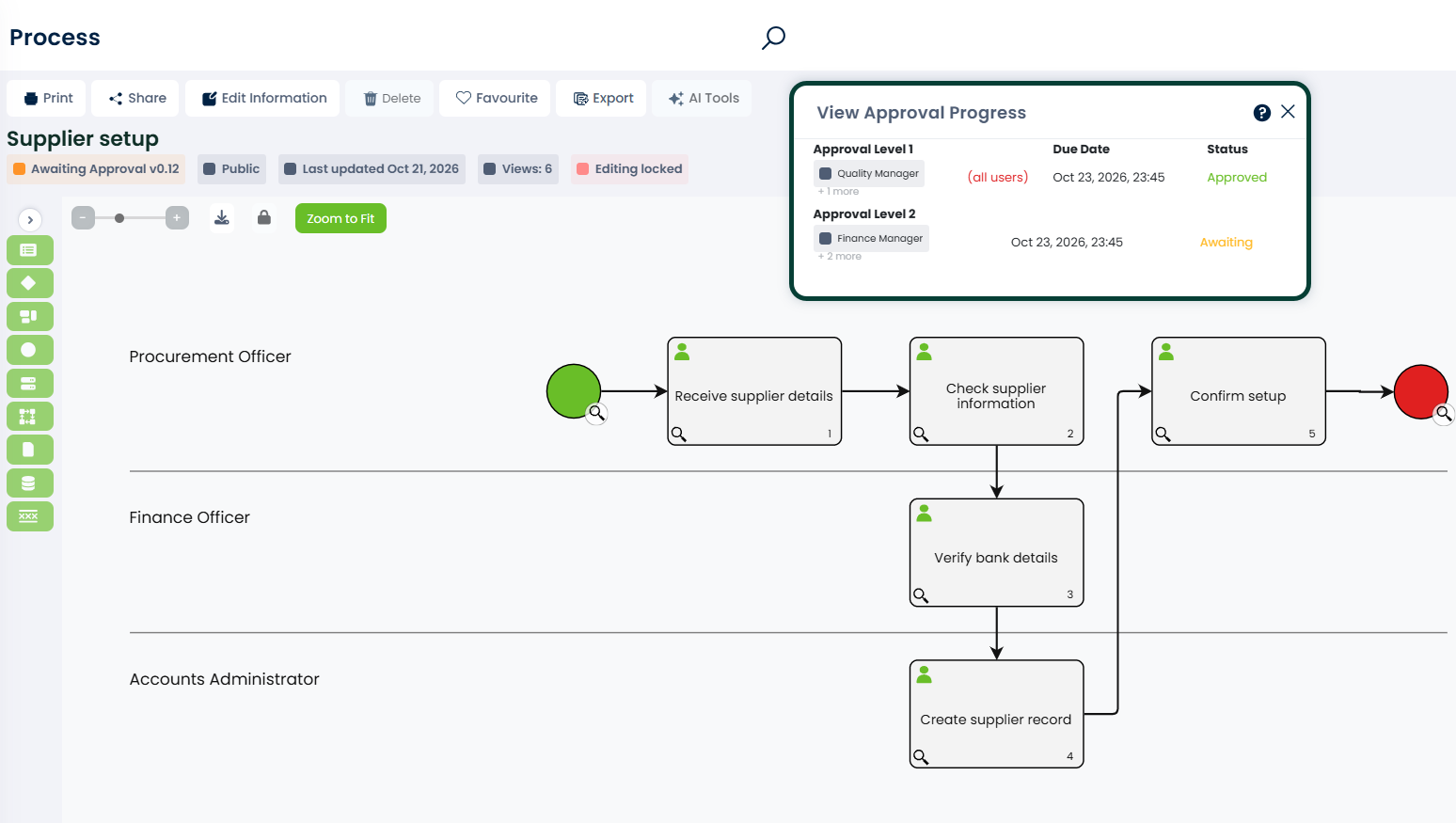
Stakeholders can view who has approved and who still needs to respond. Administrators and users with View Report permission can also use the Approval Requests report, helping them identify pending requests without opening every process separately.
Review the content people will follow
Approval gives people a chance to check the process before publication. The reviewers still need to assess whether its activities, responsibilities and guidance describe how the work should be done.
EXAMPLE
In Supplier setup, the Quality Manager checks that each activity has a responsible role. The Finance Manager then reviews “Verify bank details” and “Create supplier record” to check the finance responsibilities and guidance before approving publication.
These approvals apply to publishing the Supplier setup process. The operational checks remain activities within that process, carried out by the people assigned to them.
See where approval stands
The approval progress view shows the stages of the Supplier setup request. With the Quality Manager’s approval complete and the Finance Manager’s response still outstanding, stakeholders can see which review is holding up publication. The process remains Awaiting Approval until the request is completed.
Connect approval to wider process control
Approval also applies to managed documents and value streams. Statuses distinguish content awaiting approval from content that has been declined or published. Approval must be enabled for the company. ProcessPro support can activate it.
Published processes can still be edited. Use a future state to prepare changes privately while users continue to follow the published process.
Administrators can override approval for public items Awaiting Approval through the Approval Requests report. Private items cannot be overridden there.
Give publishing a clear approval stage
Bring review, sign-off and approval progress into your process management. Request a demo to see how ProcessPro supports approval before publishing.