
Features › Alternate Paths
Alternate paths in process maps
Show your team where work needs to return
Map the route back when an activity needs to be repeated, so your team knows how to handle rework.
Alternate paths in ProcessPro connect a step to an earlier activity in a process or value stream. Show the return route and its description alongside the main flow.
Make the route back part of the process
A process map may show how work moves forward but leave out what happens when a check fails or information is incomplete. Your team then has to work out which step needs to happen again.
Document the return route in the same map. People can see where work goes back and why, giving them an agreed path to follow when the first pass is not enough.
Show which activity needs to be repeated
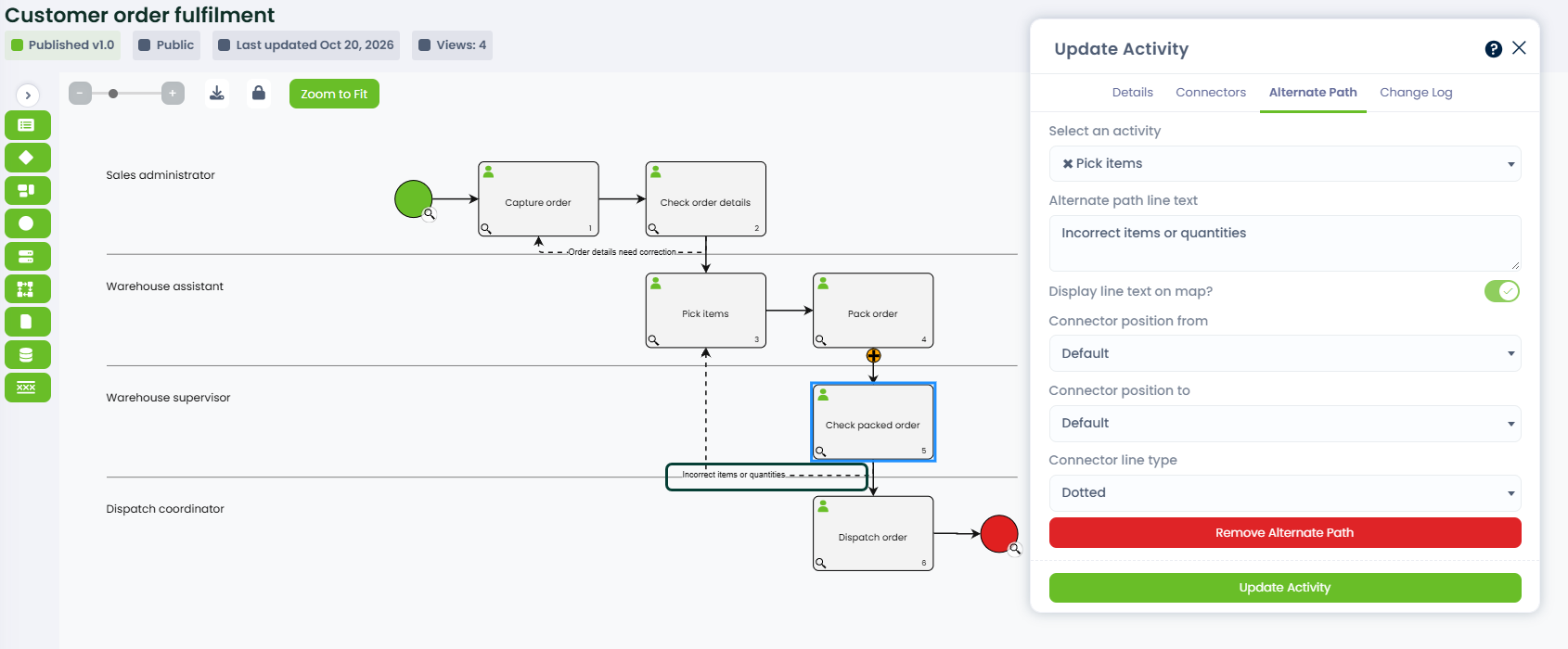
Connect the step where work needs to return with the activity to revisit. Add a description to explain when the alternate path applies and display it on the map.
A clearly labelled return path helps your team understand:
- Where the work returns.
- Why the activity needs to be repeated.
- How the return route connects to the main process.
Keep the reason beside the route, so people can understand the exception without relying on a colleague to explain it.
Make return paths useful across your maps
Show rework where it happens, explain the route and keep the map readable.
Map rework in the right place
Add alternate paths to activities, process links, events, and process or gateway start and end points. This lets you show a return route where it belongs in a process or value stream.
Explain when work returns
Give the path a description and show it on the map. Your team can understand why work returns to an earlier activity.
This gives people the context to follow the return route, instead of interpreting an unexplained connector.
Keep return routes easy to follow
Use solid or dotted connectors and adjust where they enter and leave a step. In swimlane view, limited line-position adjustments help keep the return route clear as the map grows.
Carry the return route into a workflow
When a workflow follows a loopback defined in a published process map, it returns to the earlier activity and repeats the work. The route is set in the map before the workflow runs.
EXAMPLE
A workflow completes Activities A and B, then reaches Activity C. If the mapped route loops back to A, A becomes the current activity again. The timeline retains the first-pass completions while recording the next pass.
The workflow audit records where the loopback started and where it returned, so you can trace the repeated work without losing the first-pass history.
See the return route alongside the main flow
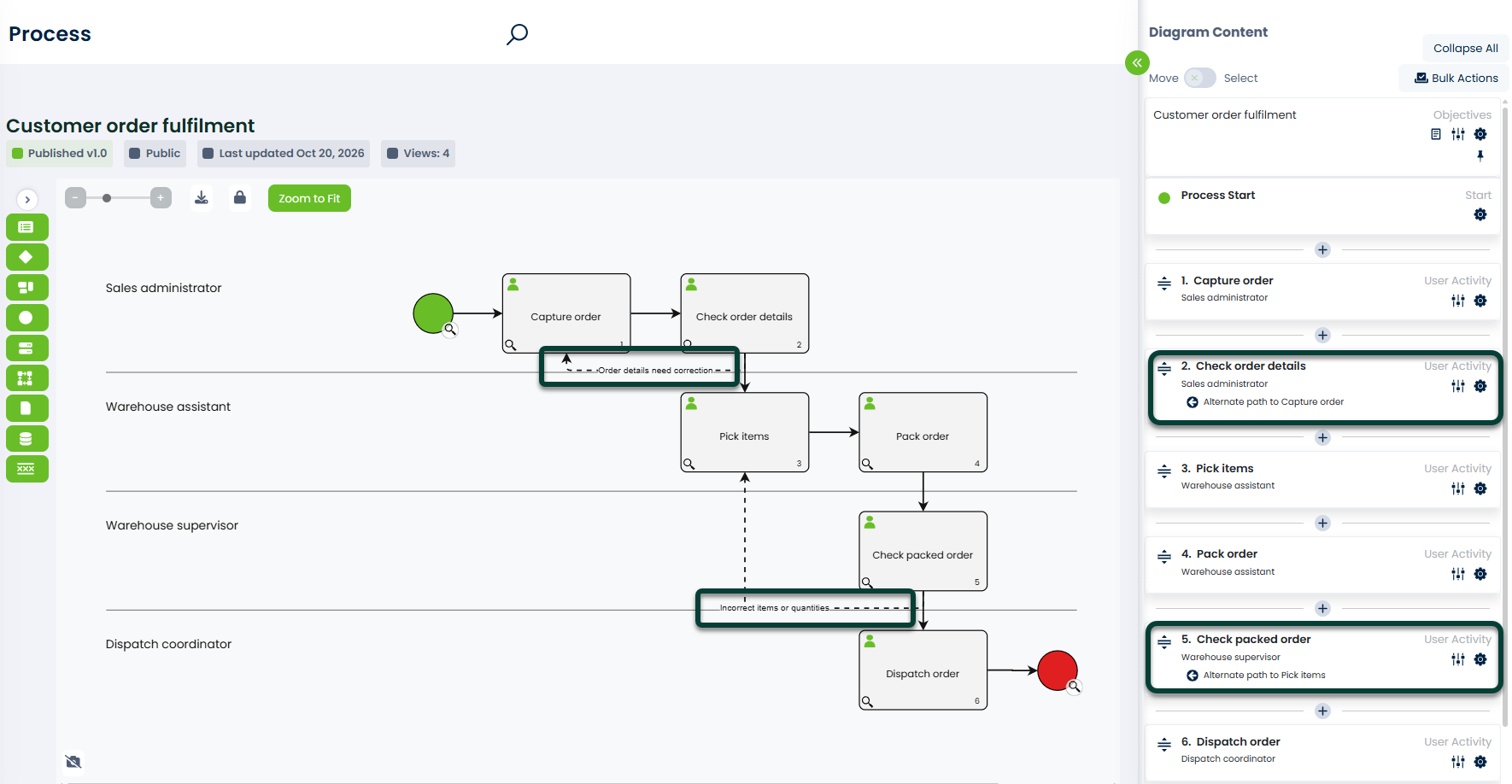
A process map should make both the forward flow and any return route easy to follow. Display the alternate path description beside its connector so your team can understand where work returns and why.
Connect alternate paths to the wider process
Activities show the work and responsible role at each step. An alternate path shows where that work returns when an activity needs to be repeated.
Decisions use their own Yes and No paths. They do not have alternate paths, so keep decision outcomes distinct from the return routes you add to other map elements.
Use Publish with Approval to have changes to the process checked before publication. Refer to process history when you need to review an earlier version of the map.
Give your team a clear route for repeated work
Show where work returns, explain why, and keep the route connected to the wider process. Request a demo to see alternate paths in ProcessPro.