
Business Process Management Software
Business process management software for clear ownership and controlled change
Your processes should show people what to do, who is responsible, and which version to follow. ProcessPro brings process maps, roles, documents, approvals and reviews into one place so your teams can manage work consistently as it changes.
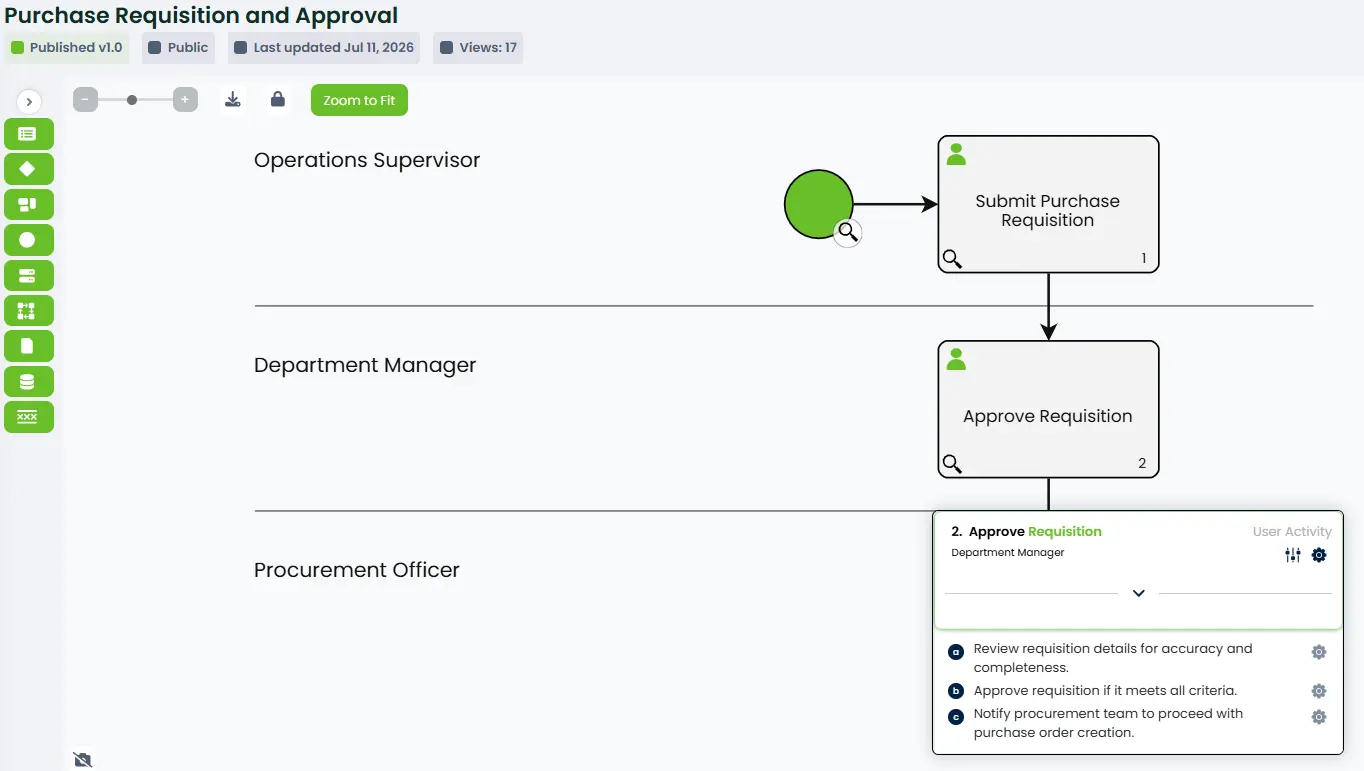
From mapping a process to publishing the current version
Map the process
Lay out activities, decisions and the information involved.
Assign ownership
Give each process an owner and the stakeholder roles around it.
Approve changes
Send changes through review and approval before they reach the team.
Publish the version
Teams work from the approved version, with earlier versions retained.
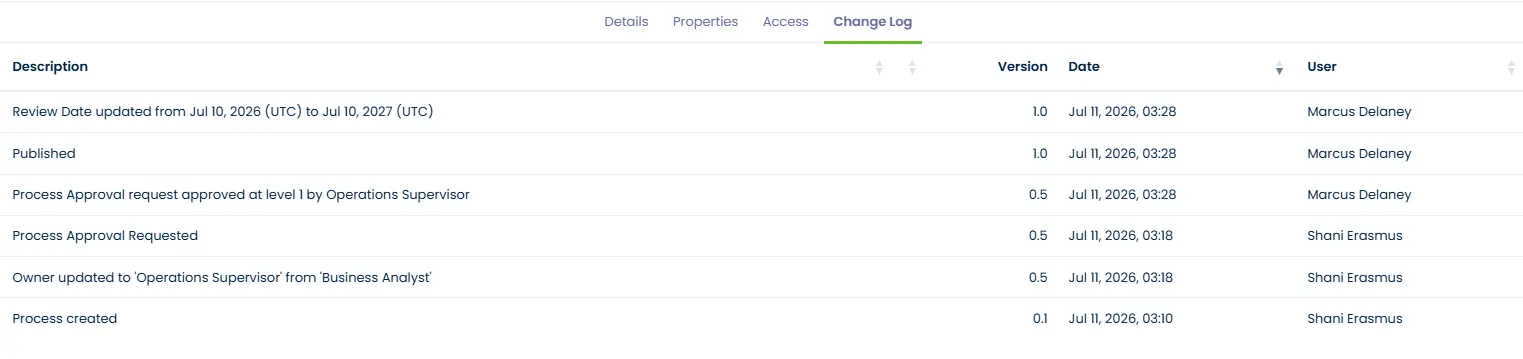
Manage processes across teams and departments
When each department keeps its own diagrams and documents, it becomes hard to see how work fits together. ProcessPro gives your teams a shared place to map processes and connect the people, steps and information involved.
- Build visual process maps people can follow, with activities, decisions, roles, guidance and supporting documents.
- Use process links and value streams to show how work moves between teams.
- Bring existing Word, PDF or Visio material onto a map, then review and improve it in ProcessPro.
SmartFlow AI can turn existing documents into a draft process that your team reviews, refines and approves.
The Global Library provides ready-made processes that you can review and adapt to your organisation.
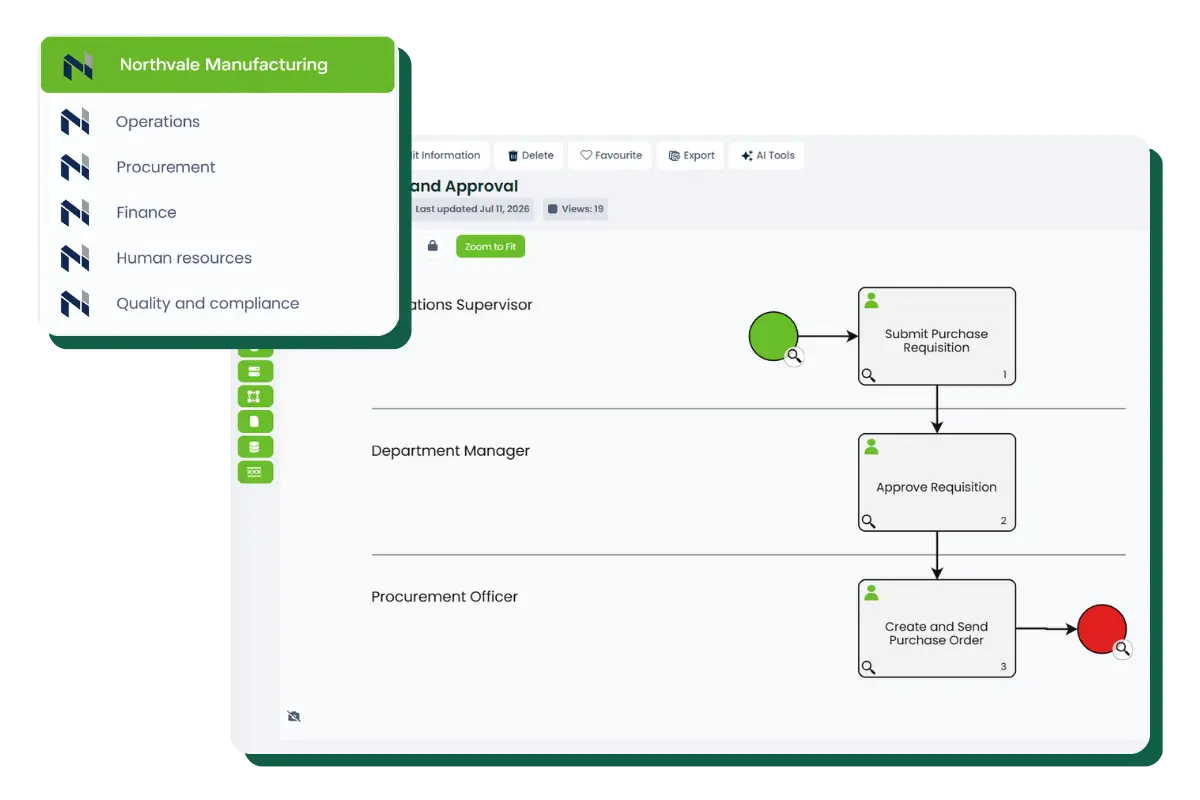
Make ownership visible
A process needs someone to keep it accurate. ProcessPro lets you assign owners and other stakeholder roles so people know who is responsible for maintaining, reviewing and approving the work.
Role associations help administrators see where a role is used across processes and activities. RACI views make responsibilities easier to check. When a person or role changes, you have a clearer way to find the processes that need attention.
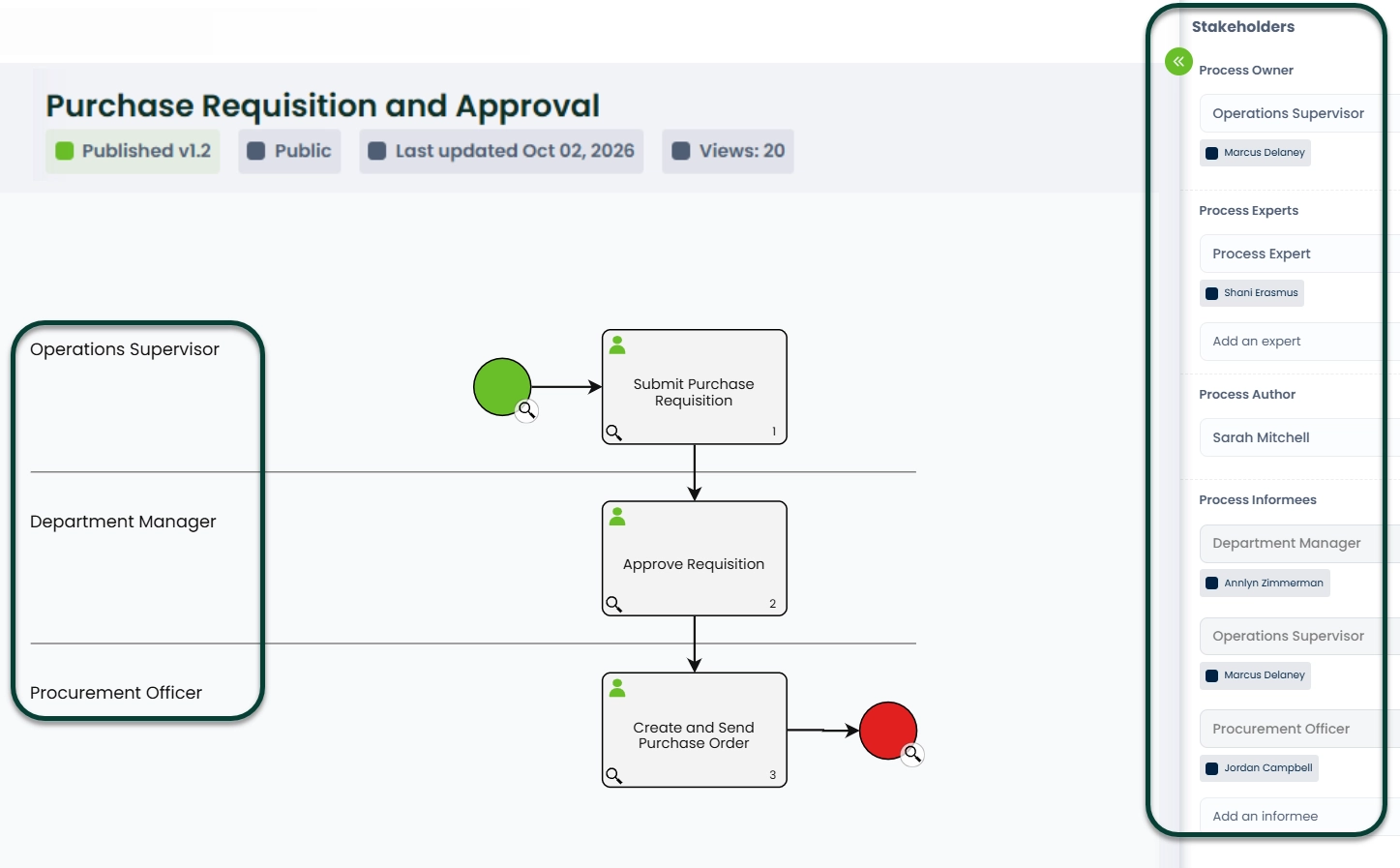
Control changes before they reach your team
ProcessPro keeps a history of changes and supports review and approval workflows.
An object is locked for editing while it goes through approval. Review tasks help the right people act when a review is due, including when it becomes overdue. Once a process is published, your team can work from the approved version while retaining a record of earlier versions and decisions.
Keep guidance connected to the work
ProcessPro lets you attach guidance to activities and manage documents alongside your processes.
People can find the relevant information where they use it, instead of searching through separate files and folders.
See what needs attention
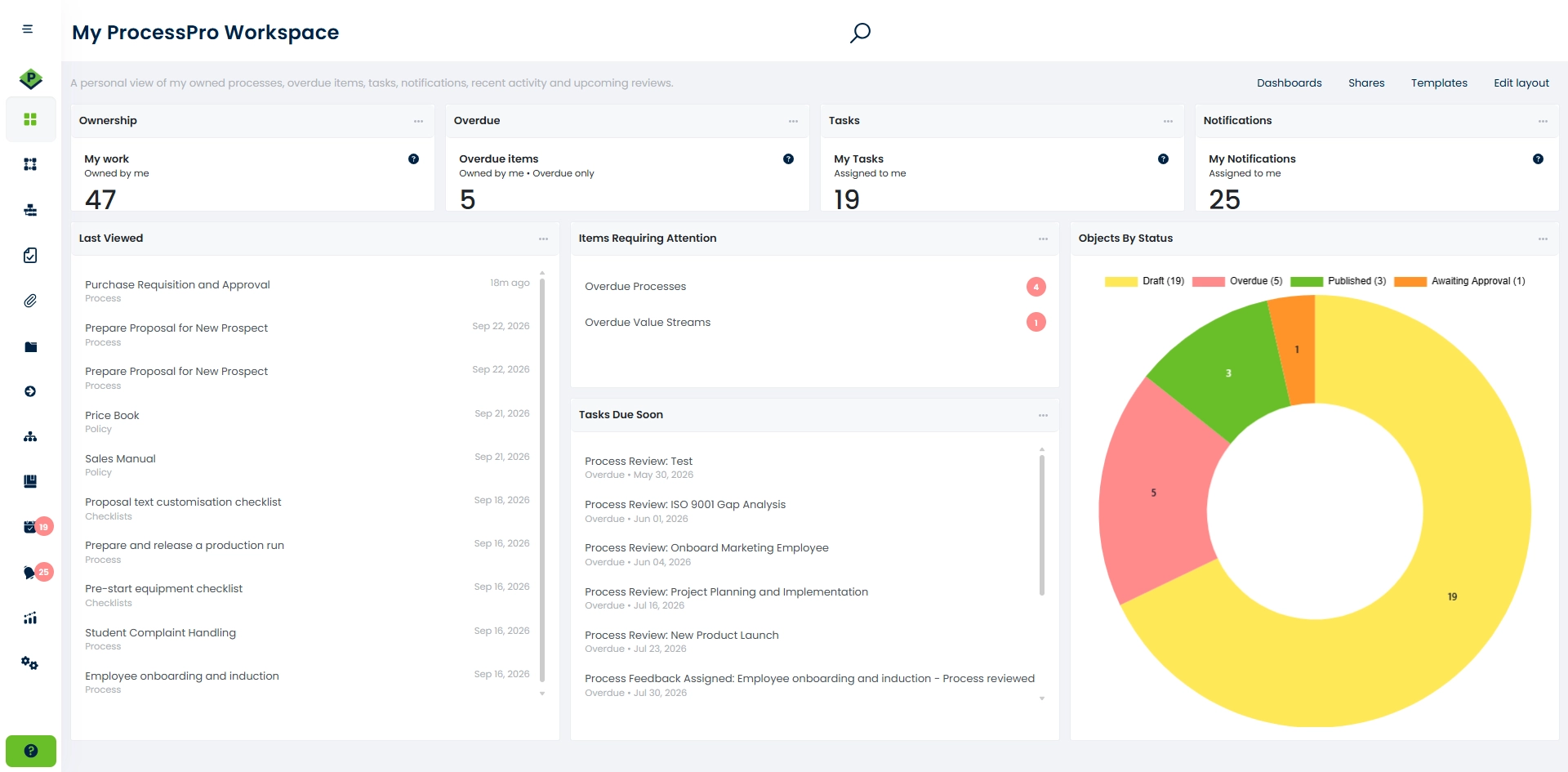
ProcessPro reports and filters help you find outstanding tasks, check ownership and follow approval activity. Configurable dashboards let individuals, teams and administrators bring selected tasks, charts, metrics and links into a view that suits their work.
System Tasks show users actions that need their attention. Tasks can be assigned based on roles and updated when the related process, user or object changes.
Run work through defined processes when you need to
ProcessPro’s Workflow feature guides work items through defined steps, tracks progress and records who completed each step and when. Dynamic Forms can capture structured information, with required fields, validation and conditional rules. Automation Flow can use triggers, conditions and actions to handle repeatable steps.
Availability
Workflow, Automation Flow and Dynamic Forms are available with Enterprise contracts or as add-on features. Ask about availability when you request a demo.
Manage processes across companies
Global Objects let a source company share published processes, value streams and managed documents with selected companies in the same ProcessPro instance. The source company keeps control of edits, while the other companies can view and use the shared material.
Is ProcessPro right for your team?
ProcessPro is a fit when you need to document how work gets done, make ownership clear, control changes and keep processes current across teams. It supports operations, governance, quality, safety and continuous improvement work.
If you are evaluating business process management software, start with the process that is hardest to keep consistent today. We can show you how ProcessPro would map it, assign responsibilities, manage approvals and keep the published version current. We can also clarify which features are included in the plan you are considering.
Frequently asked questions about ProcessPro
What can I manage with ProcessPro?
You can map and document processes, assign owners and roles, connect guidance and documents to process steps, and manage reviews and approvals. ProcessPro keeps the current published process and its change history in one place so teams know which version to follow.
Can ProcessPro manage processes across departments?
Yes. Process links and value streams show how work connects across teams. Shared roles, review cycles and approval controls help you keep processes consistent while making responsibility for each process clear. When a process needs to change, you can update it, review the change and publish a new version.
Can ProcessPro manage tasks, forms and workflow automation?
Yes. System Tasks bring required actions and reviews to the right users. ProcessPro also offers Workflow to guide work items through defined steps, Dynamic Forms to capture information, and Automation Flow to handle repeatable actions. Workflow, Dynamic Forms and Automation Flow require an Enterprise contract or an add-on.
Which ProcessPro features are included in each plan?
Feature availability depends on your subscription. Process approvals are included in Advanced, Advanced Plus and Enterprise subscriptions. They are not included in Standard. Workflow, Dynamic Forms and Automation Flow are available with Enterprise contracts or as add-ons. Review the ProcessPro subscription options to compare plans.
Can I see ProcessPro before choosing a plan?
Yes. You can view an interactive product demo, request a personalised demo based on your requirements, or start a 30-day free trial. A personalised demo is the best way to check how ProcessPro would handle a specific process and confirm which features your team would need.
See ProcessPro applied to your hardest process
CASE STUDY
Wizz Air Hungary
Wizz Air uses ProcessPro to strengthen process documentation, support onboarding and build process maturity across departments.