
Features › Attachments
Attachments in process maps
Keep the right resources with each step
Give your team the documents, links and email templates they need at the activity where they use them.
Attachments in ProcessPro connect supporting resources to your processes and value streams. Upload a file, link to a document or website, or prepare an email for someone to complete and send.
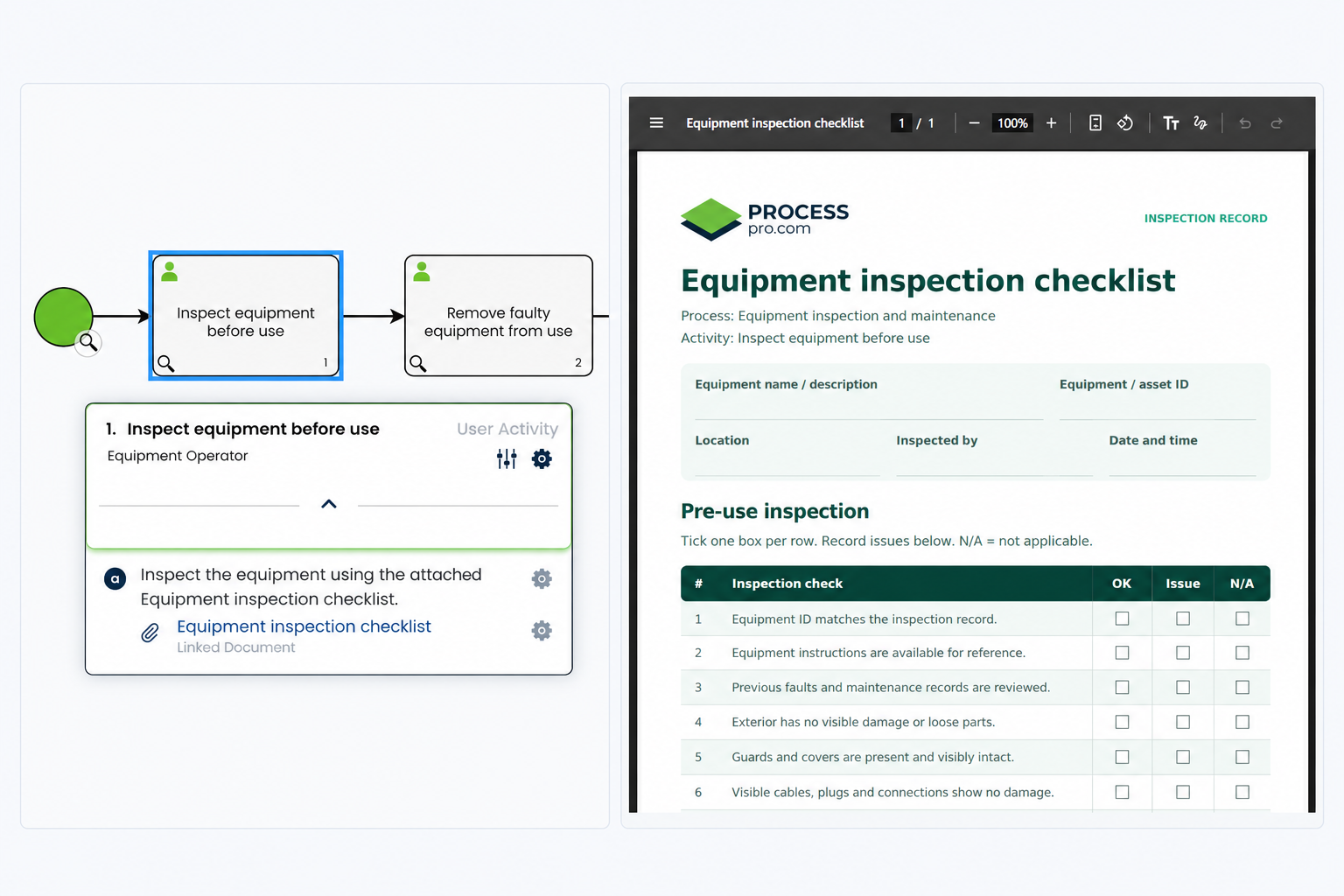
Give people what they need to complete the step
A process map can tell someone to inspect equipment without giving them the checklist, the equipment records or the contact details for reporting a fault. They still have to search elsewhere before they can act.
Keep those resources with the relevant activity. Your team can find the supporting information while following the process, with less time spent searching folders, checking bookmarks or asking a colleague.
Put supporting resources beside the work
Attach the resources people need to the activity they are following. In an equipment inspection and maintenance process, the operator can find the inspection checklist beside the checks they need to complete.
Use attachments to give your team:
- A file to open and refer to.
- A link to a document, website or internal portal.
- An email template with details already filled in.
Arrange attachments beside the relevant tasks so people can connect each resource with the work it supports.
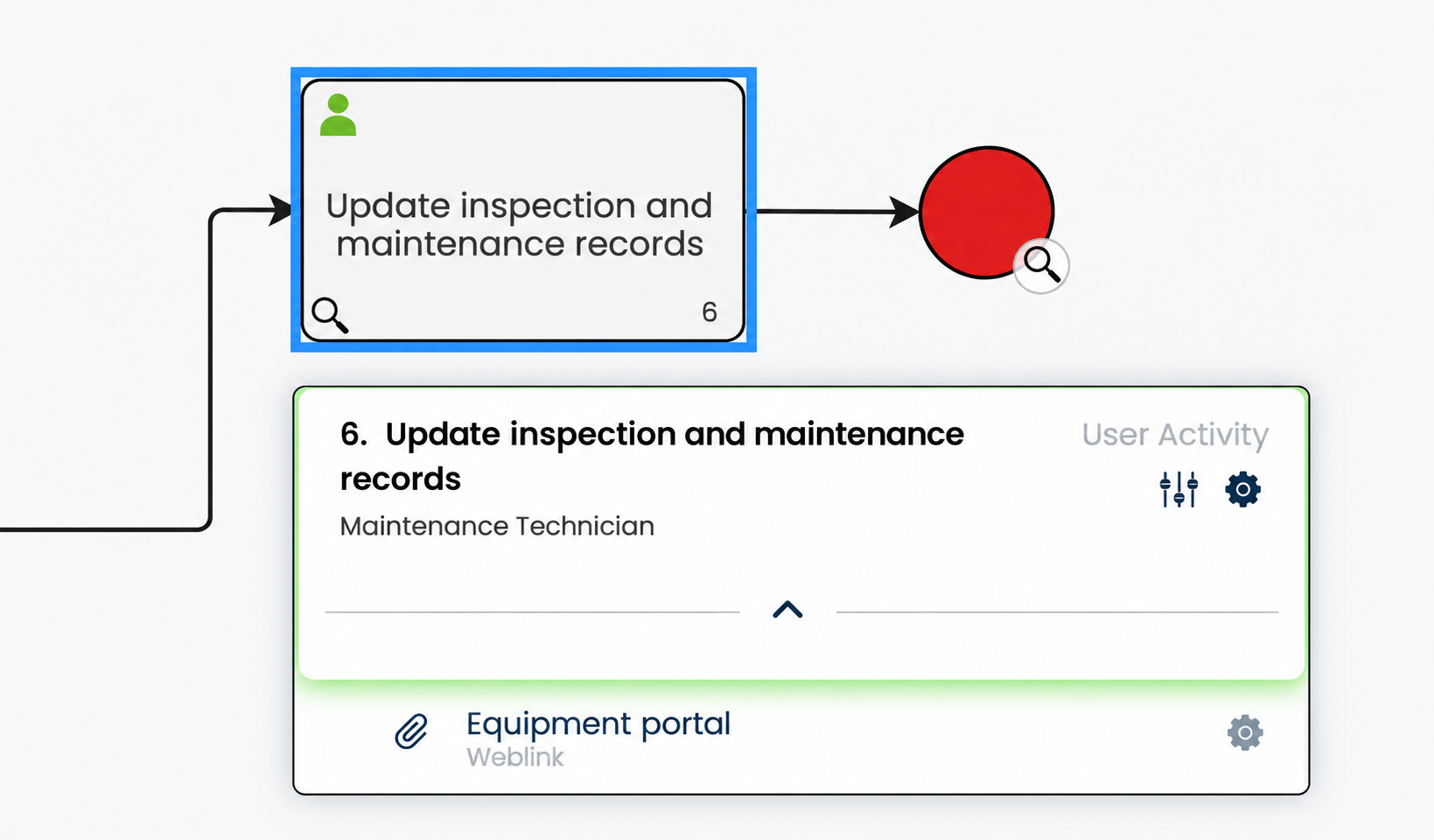
Three attachment types for everyday work
Choose the resource that helps someone complete the step, access a system or contact the right person.
Upload a file
Keep checklists, documents, images and videos with the activity. An equipment inspection checklist gives the operator a reference for the checks to complete. When the source file changes, upload a new version to keep the attachment current.
Link to a document or website
Connect an activity to an online document, website or internal portal. Link the inspection step to your equipment portal so the operator can open it directly.
Keep the route to equipment records with the check that needs them, so staff can find the right system.
Prepare an email with Mailto
Open a prepared message in the user’s email application. For a fault report, include the recipient, subject and prompts for equipment details. The operator completes and checks the message, then sends it.
Connect guidance to the resource it refers to
Link an existing attachment from a note so people can open the supporting material while reading the guidance. Reuse an attachment that is already in ProcessPro when it is needed elsewhere.
EXAMPLE
In “Inspect equipment before use”, a note can direct the operator to the Equipment inspection checklist attachment. If a fault is found, “Report equipment fault” can provide a Mailto attachment with prompts for the equipment ID, location and fault description.
Each resource has a clear purpose in the process. People can find what to check and what information to include when passing a fault to the maintenance team.
Give people a starting point for fault reports
The Mailto attachment in “Report equipment fault” opens a prepared message in the operator’s email application. Include the recipient, subject and prompts for the fault details so the maintenance team receives useful information.
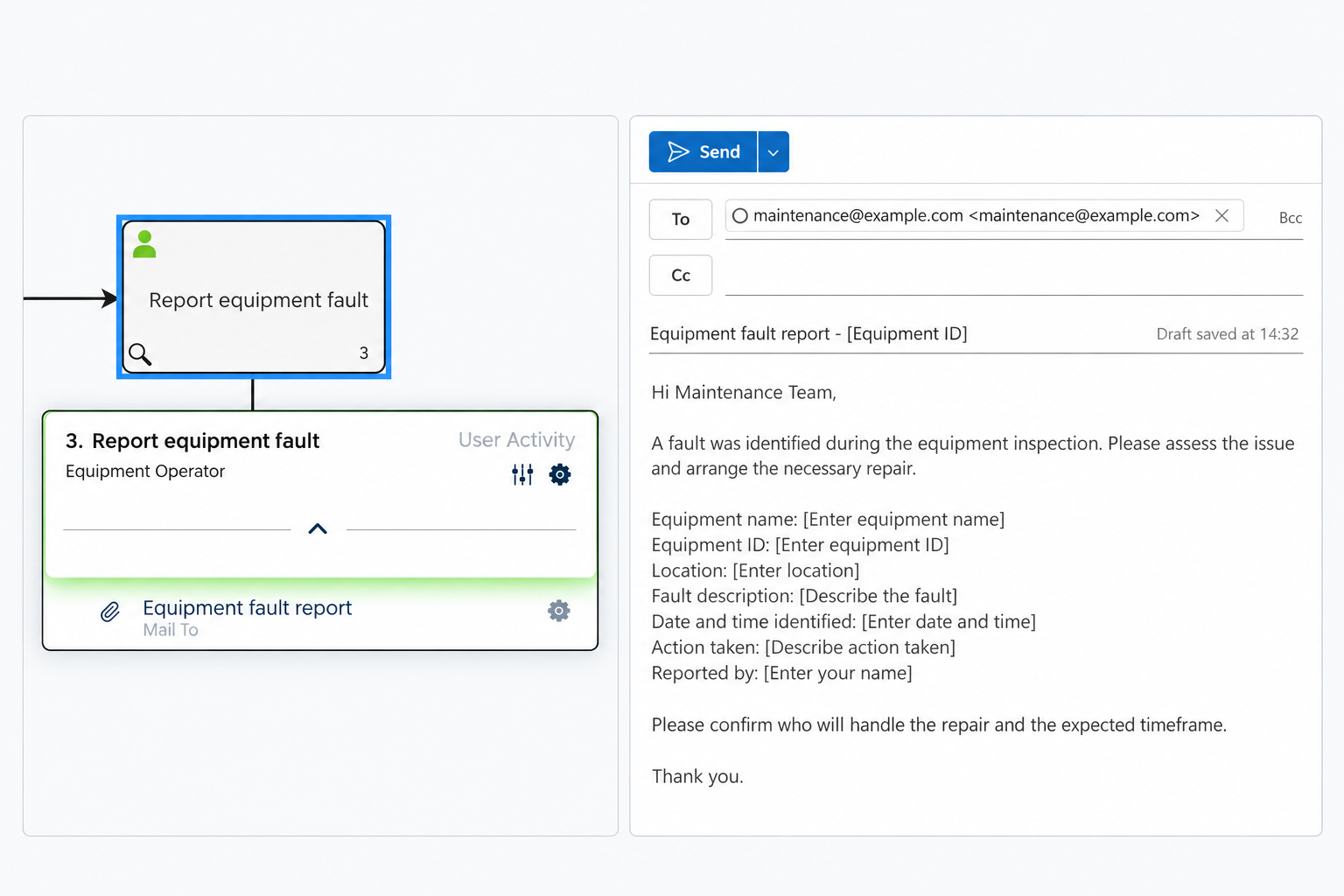
Connect attachments to the wider process
Activities show the work and responsible role. Activity tasks set out the smaller actions and checks. Attachments give people the resources to carry them out.
Notes explain exceptions and can link to relevant attachments, processes, value streams or managed documents.
Administrators and users with Add Attachment permission can add resources. Attachments have owners and authors, helping keep responsibility for maintaining supporting information clear.
Give your team the resources to act
Keep documents, links and prepared emails with the steps they support. Request a demo to see how attachments help your team follow a process with the right information at hand.