
And how high-performing organisations fixed them.
Most organisations think they have “processes.”
What they actually have are scattered documents, outdated diagrams, and tribal knowledge that falls apart the moment someone leaves the business.
After working with organisations across manufacturing, finance, education, and distribution, the pattern is clear:
Teams don’t struggle because mapping is hard, they struggle because their approach creates blind spots, rework, and compliance gaps.
Here are the seven most costly process mapping mistakes teams make, and how leading organisations corrected them.
Quick Summary: Most teams don’t struggle with process mapping, they struggle with process maintenance. This post covers the 7 most common mapping mistakes (like relying on memory or siloed tools) and how leading teams fix them with structure and governance.
1. Why relying on memory kills process consistency
In several organisations we’ve worked with, critical steps weren’t documented anywhere. Entire processes existed in one person’s memory. When that person went on leave or left the company, productivity dropped and compliance risk surged.
One organisation described the problem perfectly:
“If someone left, we’d spend months chasing basic steps just to keep up.”
Why this mistake hurts:
- Processes are inconsistent
- No one knows the “right” version
- Compliance becomes guesswork
- Onboarding slows to a crawl
How teams fixed it:
They moved all process knowledge into a single structured system so processes were visible, documented, and easy to follow, reducing dependency on individual memory.
(Manufacturing and distribution case studies confirm this shift.)
2. How siloed processes create delays and confusion
In one large distribution organisation, every region worked differently. Teams were “doing their own thing” without understanding what others were doing.
What this caused:
- Delays during handovers
- Confusion about who owns what
- Inefficiencies across procurement, warranty, and service teams
When they mapped cross-team value streams, the bottlenecks became obvious, and fixable.
Within weeks, they streamlined warranty processes and reduced turnaround time significantly.
3. Using multiple versions of the same process
A financial organisation operating across multiple states uncovered duplicate processes, inconsistent steps, and unclear definitions after years of acquisitions.
This created:
- Ambiguity
- Errors
- Difficulties training new staff
- Compliance reviews that took far longer than necessary
After centralising and standardising processes, teams could finally work from a single source of truth.

4. Storing processes in scattered tools
Word docs. PDFs. Visio diagrams. Lucid boards. SharePoint files. Emails.
Teams repeatedly shared the same frustration:
“Everything is everywhere. Nothing is connected.”
When processes are scattered across tools:
- No one trusts which version is current
- Updates go unnoticed
- Teams continue using outdated steps
- Audit trails don’t exist
Consolidation into one governed platform solved this instantly.
5. Why complex tools block process adoption
One university had over 700 processes, but their previous system became too expensive, too complex, and too restrictive due to licensing limits.
Teams stopped using it. Processes went stale.
When they switched to a simpler, more intuitive platform with unlimited users, engagement increased immediately:
- Easier updates
- Faster onboarding for new staff
- Stronger process ownership
The lesson:
If the tool feels heavy, people won’t adopt it, and even the best processes won’t be followed.
6. Mapping without governance, ownership, or follow-through
In conversations with organisations across manufacturing, finance, and education, teams openly admitted their processes were often followed “until someone forgot.”
Problems included:
- No ownership
- No automated follow-ups
- No acknowledgment tracking
- No audit history
- Task reminders stuck in email where they were easily ignored
Governance is what turns a diagram into an operational standard.
When organisations introduced:
- Approvals
- Version control
- Acknowledgments
- Automatic reminders
- Audit trails
…compliance immediately strengthened.
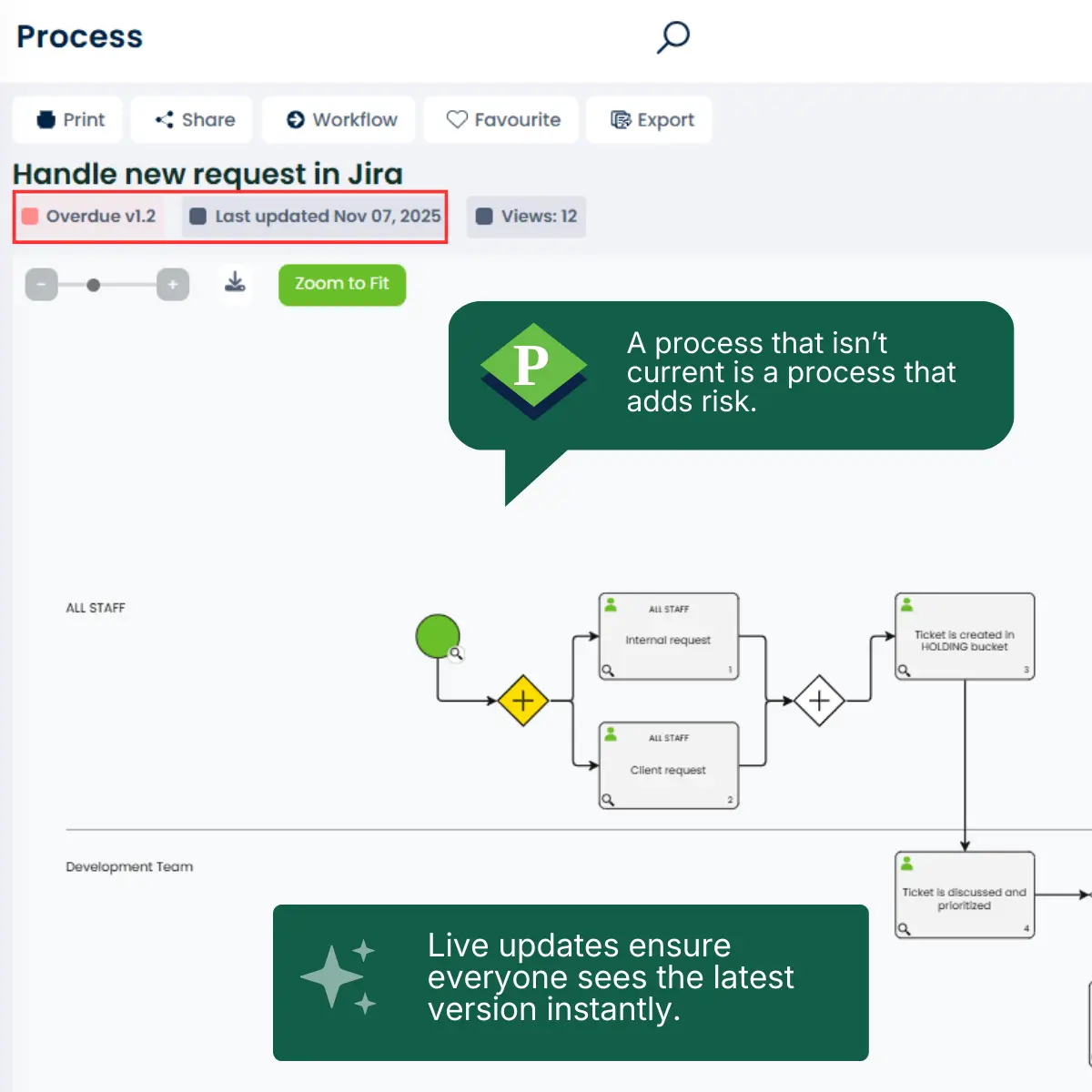
7. Treating process mapping as a one-time project instead of continuous improvement
Teams often map processes once, then never revisit them, and move on, letting documentation go stale.
Real-world results from your case studies show the alternative:
When processes are updated, reviewed, and governed regularly:
- One education institution improved onboarding and staff empowerment.
- A banking organisation increased trust in processes and fostered a proactive culture of improvement.
- A distribution organisation surfaced bottlenecks and improved cross-team collaboration.
Continuous improvement isn’t a buzzword, it’s the only way to keep processes correct, current, and compliant.
Common process mapping questions
What’s the biggest mistake teams make with process mapping?
The most common mistake is relying on tribal knowledge instead of documented processes. When steps only exist in someone’s head, productivity drops the moment that person leaves or goes on leave.
How often should processes be reviewed?
High-performing teams treat process management as continuous improvement. At minimum, review key processes quarterly, especially after system changes, team shifts, or audit findings.
What tool is best for process mapping?
The “best” tool is the one your team will actually use. Tools with unlimited users, built-in governance, and intuitive interfaces consistently outperform complex, license-restricted platforms.
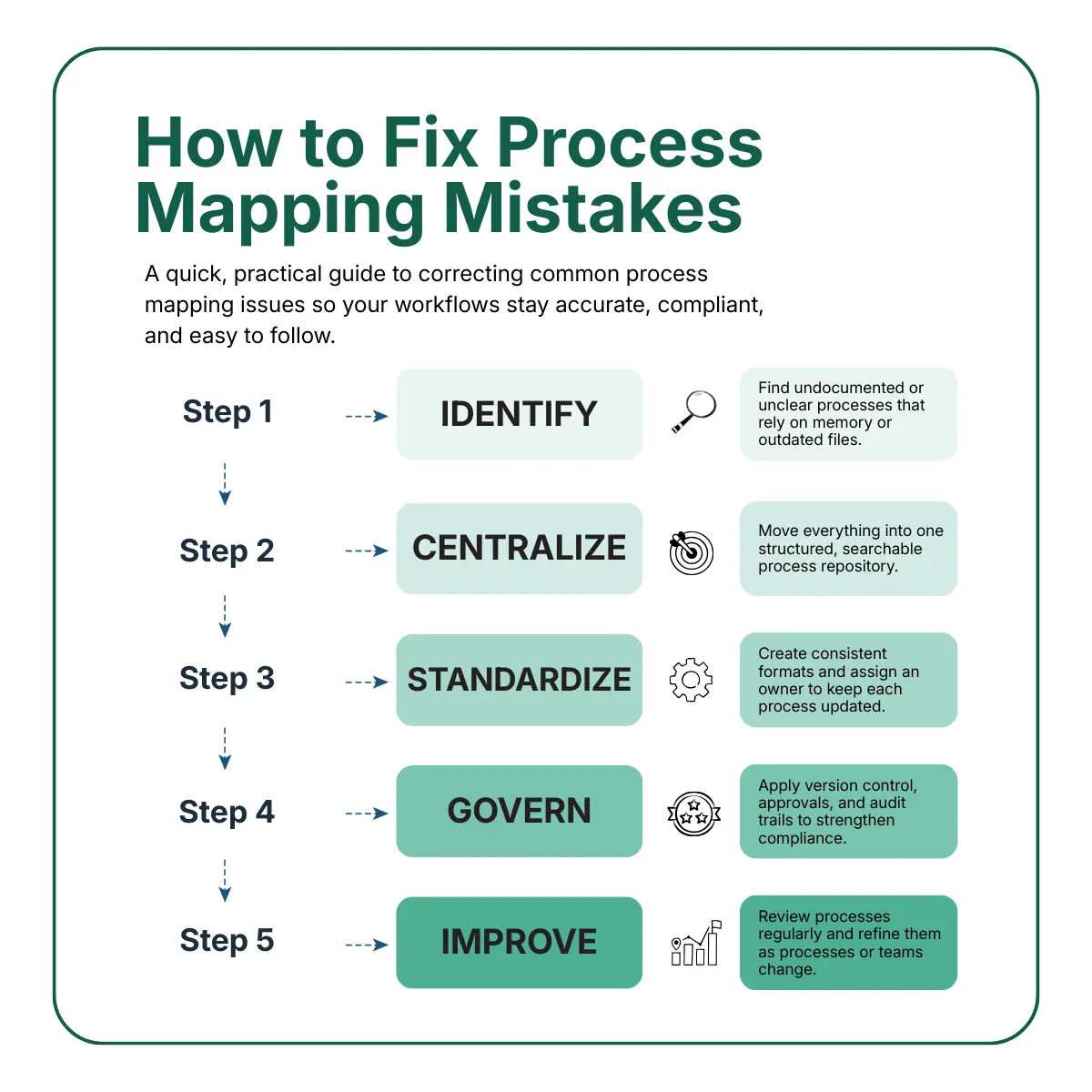
Fixing process mapping mistakes
A step-by-step guide to identifying and correcting common process mapping issues that impact compliance and efficiency.
1. Identify undocumented processes
Interview team members to uncover steps currently stored in memory. Prioritize high-risk processes for documentation.
2. Centralize your process repository
Move all processes into one structured, searchable platform. Eliminate version confusion across Word docs, PDFs, and emails.
3. Standardize and assign ownership
Create a single source of truth for each process. Assign a process owner responsible for updates and follow-through.
4. Add governance and audit controls
Enable version control, approval processes, and acknowledgment tracking to strengthen compliance and visibility.
5. Make process improvement ongoing
Schedule regular process reviews and empower teams to suggest improvements. Continuous management is key to long-term ROI.
What high-performing teams do differently
Across every case study, the shift was the same:
They moved from “mapping” to managing their processes.
And they did it using structure, governance, and visibility:
- A single source of truth
- Built-in ownership
- Real-time updates
- Audit trails
- Clear handovers
- Role-based access
- Unlimited user access
- AI-assisted process drafting
- Value streams for cross-team clarity
No fluff. Just process maturity that works.
Process mapping isn’t the problem, process maintenance is
Most organisations know how to draw a process.
Very few know how to maintain one in a way that protects compliance, knowledge, and operational flow.
When mapping becomes ongoing, structured, and governed, everything changes:
- Faster onboarding
- Reduced risk
- Happier auditors
- Shorter cycle times
- Greater efficiency
- Consistent customer experience
This is where the ROI really comes from.
See how this works in practice
A demo is the easiest way to see how organisations in manufacturing, finance, education, and distribution fixed these exact problems.
No pressure. No jargon. Just a walkthrough of how modern process management actually works.

Want to start improving right now?
Grab the free guide teams use to kickstart their process maturity.
(Your practical foundation for mapping, governing, and improving processes the right way.)

James Ross
Founder & CEO. James is passionate about all thing Process Mapping and sharing his wealth of experience with his valued clients. He works closely with his teams to ensure that ProcessPro solves real everyday process mapping problems.
Share this article